
Sports
Enhance Your Home Server: 5 Essential Docker Compose Tips

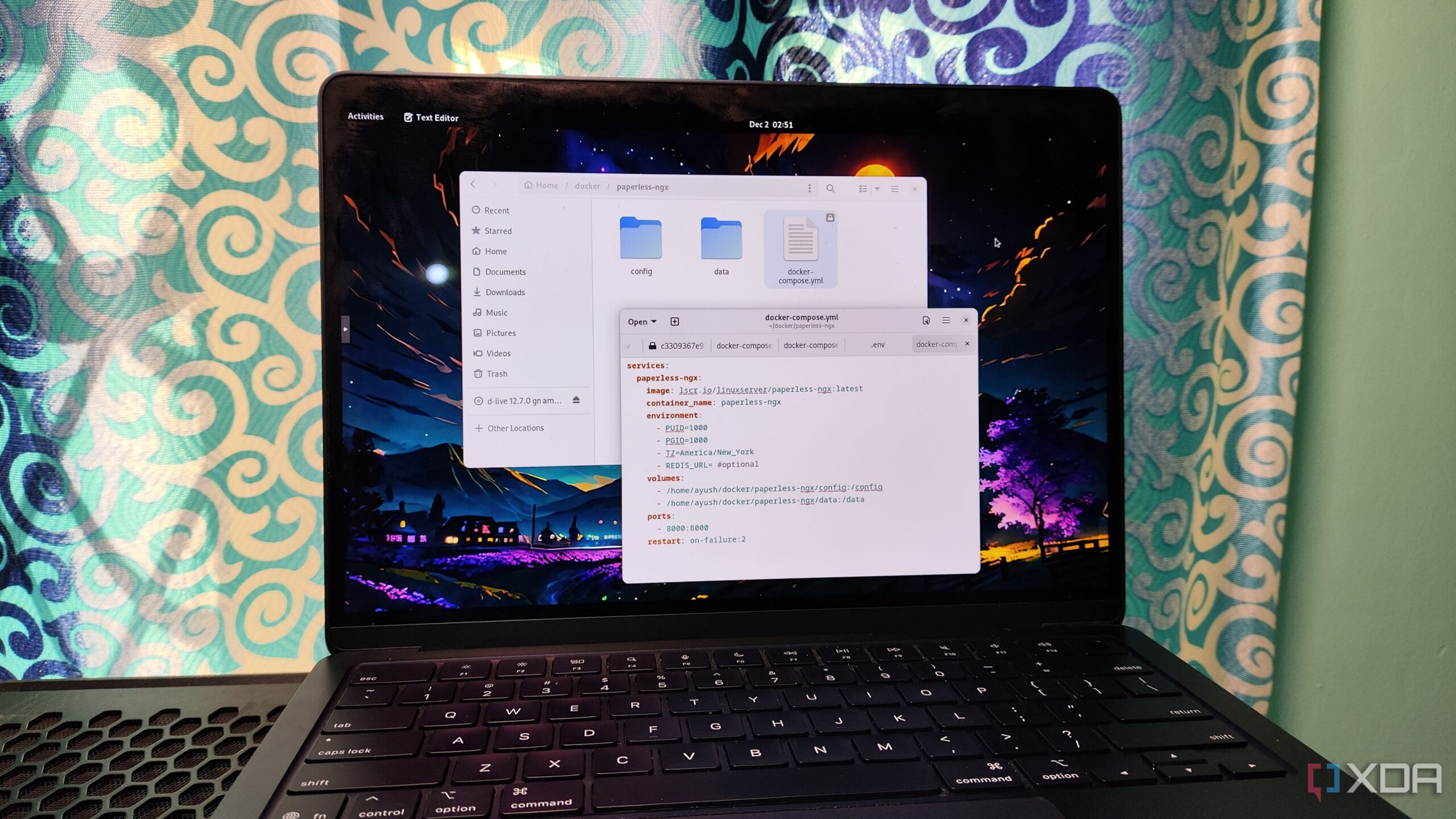
Docker has gained significant traction among enthusiasts in the self-hosting and home lab communities, thanks to its user-friendly tools and extensive library of images. Many users, including those who have recently transitioned to alternatives like Podman, continue to rely on Docker for their containerization projects. A key component of this reliance is Docker Compose, which simplifies managing multiple containers. Here are five practical tips to enhance the reliability and efficiency of your home server using Docker Compose.
Organize Your Configuration Files
One common challenge with Docker Compose is the handling of configuration files. Since Docker Compose primarily utilizes the compose.yml file for deployment, using the same name across different containers can lead to confusion. Instead of overwriting files or constantly switching directories, create separate folders for each container. For example, you can store the configuration for Paperless-ngx in its dedicated folder within the /home/containers directory. This approach not only keeps your projects organized but also allows for easier recovery and management of persistent data volumes.
Add Health Checks for Better Monitoring
A running container does not always indicate that it is functioning correctly. Early in my experience with Docker, I learned that a container could appear operational while actually facing issues, such as dependency failures. To address this, incorporate the healthcheck attribute into your compose.yml file. By doing so, Docker can assess the actual operational status of your containers. If a container becomes unhealthy, it serves as a prompt to investigate further. Adjusting parameters such as start-period and timeout can help mitigate false positives during the container startup phase.
Implement Restart Policies for Resilience
Containers can occasionally shut down unexpectedly, affecting essential applications. To mitigate this, utilize restart policies within your Docker Compose configurations. The restart attribute offers various options, with the on-failure flag being particularly useful. Setting it with a maximum of two retries ensures that the container attempts to restart after a fatal error without getting stuck in a loop. This simple addition can significantly increase the resilience of critical services on your home server.
Utilize Docker Compose Watch for Development
For developers, real-time updates during coding can streamline the workflow. Docker Compose Watch functions similarly to tools like the Live Server extension in Visual Studio Code by automatically synchronizing changes made to configuration files with container images. This feature allows developers to see immediate results without the need to manually rebuild images after every modification. While it may require additional permissions, the efficiency gained in development environments makes it a valuable tool.
Leverage Device Access for Specialized Containers
Certain applications, such as machine learning services or those requiring USB access, may necessitate direct hardware access. Adding the devices attribute to your Compose configuration files facilitates this process. While using Docker Desktop on Windows can complicate device passthrough due to its reliance on virtual machines, Linux users can easily configure this to optimize performance for intensive workloads. Utilizing privileged containers simplifies the process, but it is advisable to consider unprivileged options for enhanced security.
For those seeking additional tips, consider utilizing an .env file to store sensitive information, such as credentials, ensuring they remain secure when syncing your docker-compose.yml files with online platforms. Additionally, creating isolated networks for interconnected containers can enhance security by limiting external exposure.
By implementing these strategies, users can significantly improve the reliability and efficiency of their home server environments, making the most of the powerful tools offered by Docker Compose.

Cosmic Mystery Deepens: Where Are the Universe’s Defects?

Lady Bulldogs Shine in Postseason Awards Following Final Four Run

CALV Hosts Essential Class for Local Real Estate Professionals

Urgent Alert: “Spaving” Surges as Shoppers Overspend Online

Jefferies Initiates Coverage on Insmed with “Buy” Rating

Three Dog Night to Perform with Ambrosia at Mayo Civic Center

Urgent Announcement: Charles M. Payment Passes Away at 78

Houston Education Foundation Donates $4,592 for Student Programs

Beeks Financial Cloud Shares Drop 7% Amid Increased Trading Volume

Foreign Inflows into Japan Stocks Surge to ¥1.34 Trillion

University of Hawaiʻi Joins $25.6M AI Project to Monitor Disasters

Sydney Sweeney Embraces Body Positivity Amid Hollywood Challenges

Hudson Williams Gains Popularity as Breakout Star on Heated Rivalry

Urgent Farewell: Joleen Chaney Leaves Legacy at KFOR

Boeing’s Merger with McDonnell Douglas: A Strategic Move Explained

$1.25M Grant Advances Hawaiʻi’s Real-Time Hazard Monitoring

Derrick Dove and ABAC Band Set for Free Americana Concert

BOYNEXTDOOR’s Jaehyun Faces Backlash Amid BTS-TWICE Controversy
-
Business9 months ago
Foreign Inflows into Japan Stocks Surge to ¥1.34 Trillion
-
Science8 months ago
University of Hawaiʻi Joins $25.6M AI Project to Monitor Disasters
-
 Entertainment9 months ago
Sydney Sweeney Embraces Body Positivity Amid Hollywood Challenges
-
 Entertainment7 months ago
Hudson Williams Gains Popularity as Breakout Star on Heated Rivalry
-
 Top Stories8 months ago
Urgent Farewell: Joleen Chaney Leaves Legacy at KFOR
-
 World9 months ago
Boeing’s Merger with McDonnell Douglas: A Strategic Move Explained
-
 Science7 months ago
$1.25M Grant Advances Hawaiʻi’s Real-Time Hazard Monitoring
-
 Entertainment8 months ago
Derrick Dove and ABAC Band Set for Free Americana Concert
-
 Top Stories9 months ago
BOYNEXTDOOR’s Jaehyun Faces Backlash Amid BTS-TWICE Controversy
-

 Health6 months ago
Bodybuilder Eugene Teo Transitions to Mindful Movement for Health
-

 World6 months ago
San Francisco Airport to Host 16 Nonstop Airlines to Europe in 2026
-

 Top Stories7 months ago
National Coast Guard Museum Set to Open in 2027 After Funding Secured