
Top Stories
RAID MYTHS EXPOSED: 4 Misconceptions You Must Stop Believing NOW

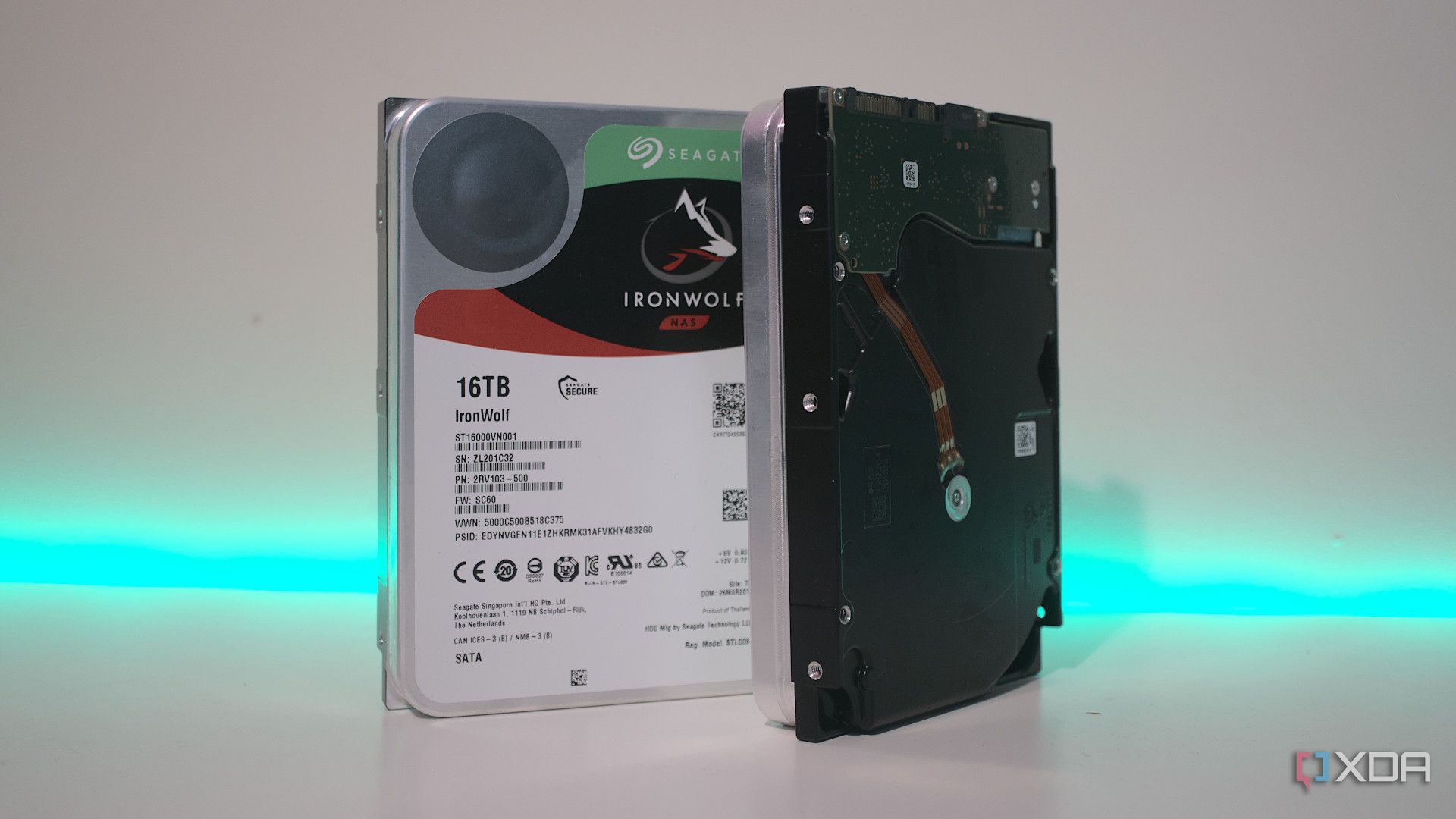
UPDATE: New insights reveal critical misconceptions about RAID arrays that could jeopardize your data security. As of October 2023, many tech enthusiasts and home lab users are falling prey to these myths, leading to potentially catastrophic data loss.
Understanding RAID, or Redundant Array of Independent Disks, is vital for anyone managing digital storage. While RAID setups can enhance performance and fault tolerance, they are not a foolproof solution for data protection. Here are the top four myths you need to stop believing immediately.
1. RAID Arrays Can Protect Your Files
It’s easy to believe that RAID configurations keep your data safe because they use multiple drives. While setups like RAID 1 create mirrored copies of your files, they are not substitutes for regular backups. If you accidentally overwrite files or face a ransomware attack, RAID will not help you. The technology is designed for high availability, not data recovery. Always prioritize backups and snapshots over RAID pools to prevent data loss.
2. All RAID Levels Provide Redundancy
Many users assume redundancy is guaranteed with any RAID setup. However, only specific configurations, such as RAID 1 and RAID 10, offer true redundancy through mirroring. Parity-based systems like RAID 5 and RAID 6 can rebuild data but do not store copies of files. RAID 0, on the other hand, enhances speed but offers no data protection, risking total data loss if a single drive fails. Choosing the right RAID configuration is crucial to ensure adequate data redundancy.
3. You Need Dedicated RAID Cards
For years, hardware RAID cards were considered essential for performance and stability in server environments. However, advancements in software RAID, particularly with platforms like ZFS, have made it a viable option for most users. Beginners should consider software RAID for its cost-effectiveness and ease of use, avoiding the complexities and potential nightmares associated with hardware RAID recovery.
4. High-Level RAID Arrays Guarantee Safety
While RAID setups (excluding RAID 0) boast fault tolerance, the number of simultaneous drive failures they can withstand varies by configuration. For example, RAID 1 can handle one drive failure, but a second failure during replacement means data loss. This risk is not negligible, especially with drives from the same batch. Keeping hot spares can mitigate this risk, allowing quicker recovery. However, planning your RAID setup ahead of time is critical to avoid being stuck with an inadequate configuration.
In conclusion, as the digital landscape evolves, so too must our understanding of storage technologies. These RAID myths can lead to dangerous assumptions that compromise data integrity. Stay informed, prioritize backups, and choose your RAID configurations wisely to safeguard your digital assets.
For real-time updates and insights, follow technology news outlets and official sources for the latest developments in storage solutions.

Cosmic Mystery Deepens: Where Are the Universe’s Defects?

Lady Bulldogs Shine in Postseason Awards Following Final Four Run

CALV Hosts Essential Class for Local Real Estate Professionals

Urgent Alert: “Spaving” Surges as Shoppers Overspend Online

Jefferies Initiates Coverage on Insmed with “Buy” Rating

Three Dog Night to Perform with Ambrosia at Mayo Civic Center

Urgent Announcement: Charles M. Payment Passes Away at 78

Houston Education Foundation Donates $4,592 for Student Programs

Beeks Financial Cloud Shares Drop 7% Amid Increased Trading Volume

Foreign Inflows into Japan Stocks Surge to ¥1.34 Trillion

University of Hawaiʻi Joins $25.6M AI Project to Monitor Disasters

Sydney Sweeney Embraces Body Positivity Amid Hollywood Challenges

Hudson Williams Gains Popularity as Breakout Star on Heated Rivalry

Urgent Farewell: Joleen Chaney Leaves Legacy at KFOR

Boeing’s Merger with McDonnell Douglas: A Strategic Move Explained

$1.25M Grant Advances Hawaiʻi’s Real-Time Hazard Monitoring

Derrick Dove and ABAC Band Set for Free Americana Concert

BOYNEXTDOOR’s Jaehyun Faces Backlash Amid BTS-TWICE Controversy
-
Business9 months ago
Foreign Inflows into Japan Stocks Surge to ¥1.34 Trillion
-
Science9 months ago
University of Hawaiʻi Joins $25.6M AI Project to Monitor Disasters
-
 Entertainment9 months ago
Sydney Sweeney Embraces Body Positivity Amid Hollywood Challenges
-
 Entertainment8 months ago
Hudson Williams Gains Popularity as Breakout Star on Heated Rivalry
-
 Top Stories9 months ago
Urgent Farewell: Joleen Chaney Leaves Legacy at KFOR
-
 World9 months ago
Boeing’s Merger with McDonnell Douglas: A Strategic Move Explained
-
 Science8 months ago
$1.25M Grant Advances Hawaiʻi’s Real-Time Hazard Monitoring
-
 Entertainment8 months ago
Derrick Dove and ABAC Band Set for Free Americana Concert
-
 Top Stories9 months ago
BOYNEXTDOOR’s Jaehyun Faces Backlash Amid BTS-TWICE Controversy
-

 Health6 months ago
Bodybuilder Eugene Teo Transitions to Mindful Movement for Health
-

 World6 months ago
San Francisco Airport to Host 16 Nonstop Airlines to Europe in 2026
-

 Top Stories7 months ago
National Coast Guard Museum Set to Open in 2027 After Funding Secured