
Top Stories
USB 3.0 Issues Emerge: Why USB 2.0 Might Be the Better Choice

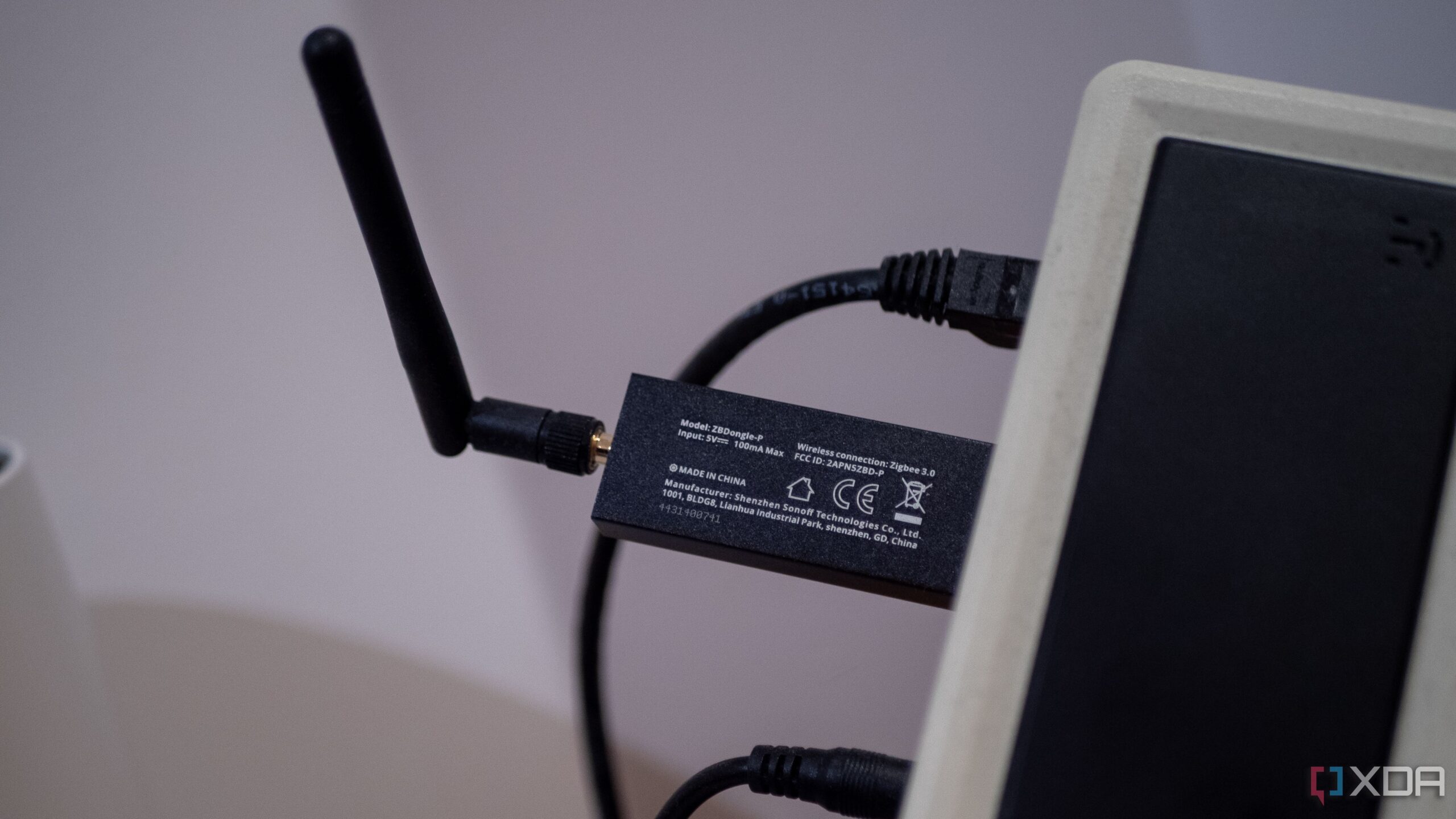
URGENT UPDATE: New reports reveal that USB 3.0, while boasting speeds of up to 5 Gbps, may not be the best option for every situation. In fact, experts warn that USB 2.0 ports can outperform their newer counterparts in several critical areas. This unexpected development has implications for both everyday users and tech enthusiasts alike.
USB 3.0 was launched in 2008 with promises of revolutionary speed improvements. However, as users increasingly encounter issues with interference and reliability, many are questioning whether the upgrade is worth it. The reality is that USB 3.0 can cause complications, particularly with wireless devices, power consumption, and cable requirements.
One of the most significant concerns is the interference USB 3.0 generates with devices operating on the 2.4 GHz band, such as Bluetooth and Wi-Fi. Intel’s own research indicates that when USB 3.0 devices are active, they can disrupt connections for nearby devices, making them nearly unusable. This problem is exacerbated by poorly shielded USB 3.0 devices. Switching to a USB 2.0 port can often resolve these wireless issues instantly.
Moreover, the power draw of USB 3.0 poses challenges, especially for laptops and mini PCs. While it allows for a maximum of 900 mA compared to USB 2.0’s 500 mA, this higher consumption can lead to increased heat and power drain. Users aiming to optimize battery life or manage thermal conditions may find USB 2.0 a smarter choice.
The complexities of USB 3.0 also extend to cable requirements. The higher data rates necessitate better shielding and stricter manufacturing tolerances, leading to potential signal degradation with lower quality cables. Conversely, USB 2.0’s slower speeds allow for greater flexibility with cable quality, making it a more reliable option in environments with cheap or long cables.
Compatibility issues with older devices present another hurdle. USB 3.0’s dual-controller architecture can lead to unpredictable behavior with legacy hardware, resulting in connection problems or power delivery issues. For users relying on vintage peripherals or older printers, USB 2.0 ports offer a more stable and dependable connection.
The complexity of USB 3.0 also introduces challenges in driver support, with potential for conflicts and bugs due to its intricate system. Many users, particularly those with older systems, find USB 2.0’s straightforwardness advantageous, as it typically avoids the complications seen with USB 3.0.
This urgent revelation about USB technology underscores the necessity for users to evaluate their actual needs. While USB 3.0 remains essential for high-speed tasks, the ongoing issues associated with it may lead many to reconsider the benefits of sticking with USB 2.0 for everyday use. As technology enthusiasts and casual users alike navigate these challenges, staying informed about the latest developments will be crucial.
For those experiencing connectivity issues or power management challenges, experts recommend reassessing the type of USB port being used. In many cases, reverting to USB 2.0 could provide a quick and effective solution.
Stay tuned for more updates as this story develops.

Mayor Names Alan Wong as District 4 Supervisor Amid Controversy

Study Reveals Nitrous Oxide’s Potential in Treating Depression

Walmart Launches Massive Cyber Monday Sales Starting at $5

Rep. Don Bacon Criticizes White House for Lack of Clarity on Ukraine

UK Report Reveals Rise of AI in University Research Evaluation

Florida Hires Jon Sumrall as Head Coach: Implications for FSU Football

Trump Promises to Release MRI Results from October Scan

South Korea Implements Urgent FX Oversight Amid Market Instability

Tampa Lights Up Riverwalk for Holidays with Grand Tree Lighting

University of Hawaiʻi Joins $25.6M AI Project to Monitor Disasters

Foreign Inflows into Japan Stocks Surge to ¥1.34 Trillion

BOYNEXTDOOR’s Jaehyun Faces Backlash Amid BTS-TWICE Controversy

Carson Wentz Out for Season After Shoulder Surgery: Urgent Update

Marc Buoniconti’s Legacy: 40 Years Later, Lives Transformed

Innovative Surgery Restores Confidence for Breast Cancer Patients

Steve Kerr Supports Jonathan Kuminga After Ejection in Preseason Game

Kelsea Ballerini Launches ‘Burn the Baggage’ Candle with Ranger Station

Chicago’s Viral ‘Rat Hole’ Likely Created by Squirrel, Study Reveals
-
Science4 weeks ago
University of Hawaiʻi Joins $25.6M AI Project to Monitor Disasters
-
Business1 month ago
Foreign Inflows into Japan Stocks Surge to ¥1.34 Trillion
-
 Top Stories1 month ago
BOYNEXTDOOR’s Jaehyun Faces Backlash Amid BTS-TWICE Controversy
-
 Top Stories1 month ago
Carson Wentz Out for Season After Shoulder Surgery: Urgent Update
-
 Top Stories1 month ago
Marc Buoniconti’s Legacy: 40 Years Later, Lives Transformed
-
 Health1 month ago
Innovative Surgery Restores Confidence for Breast Cancer Patients
-
 Sports2 months ago
Steve Kerr Supports Jonathan Kuminga After Ejection in Preseason Game
-
 Lifestyle2 months ago
Kelsea Ballerini Launches ‘Burn the Baggage’ Candle with Ranger Station
-
 Science2 months ago
Chicago’s Viral ‘Rat Hole’ Likely Created by Squirrel, Study Reveals
-

 Lifestyle2 months ago
Dua Lipa Celebrates Passing GCSE Spanish During World Tour
-

 Entertainment2 months ago
Zoe Saldana Advocates for James Cameron’s Avatar Documentary
-

 Politics2 months ago
Dallin H. Oaks Assumes Leadership of Latter-day Saints Church