
Top Stories
New Findings Reveal QoS Fixes Lag Issues, Not Gaming Routers

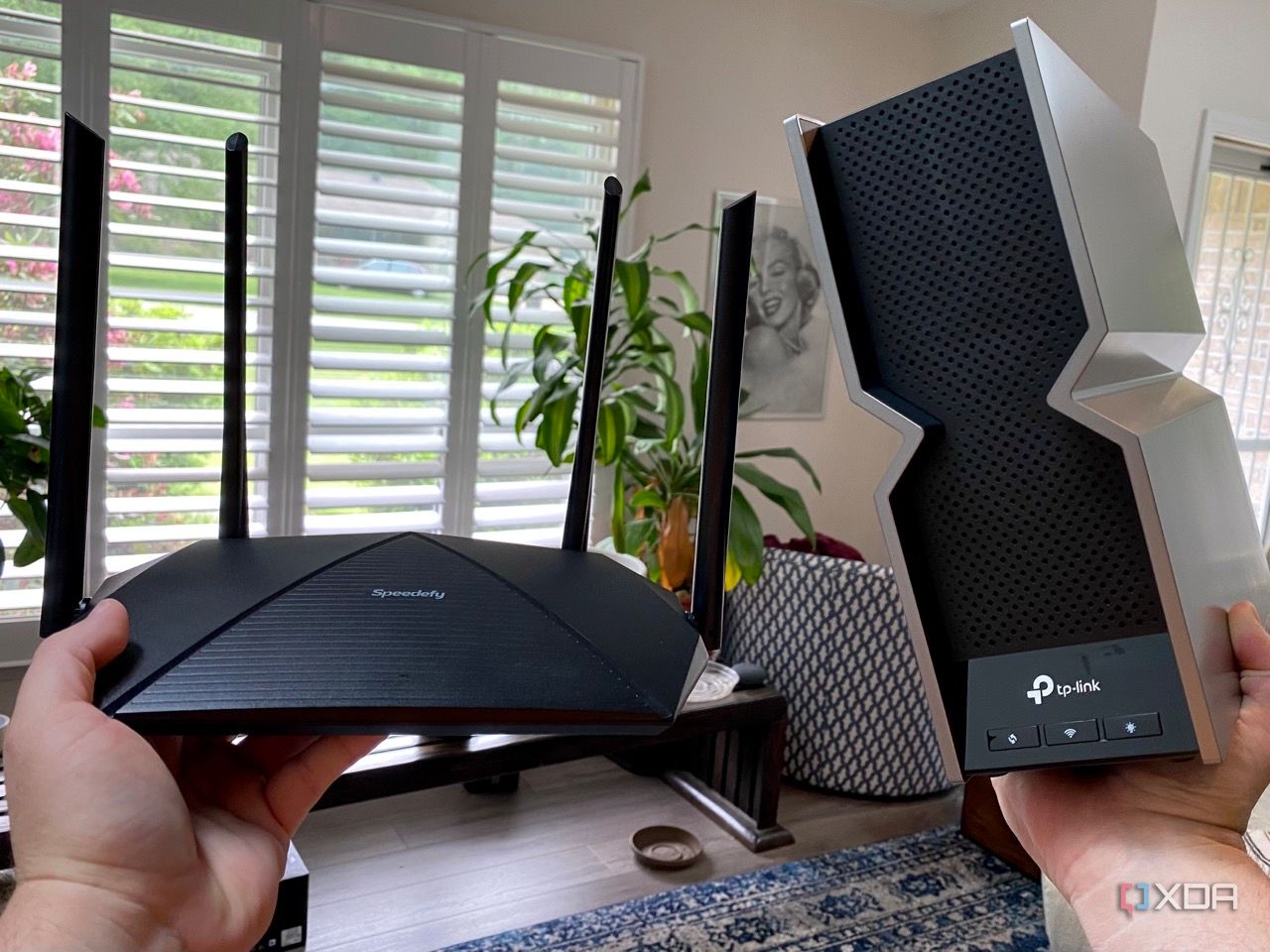
URGENT UPDATE: Recent reports confirm that the solution to gaming latency issues lies not in expensive “gaming routers,” but rather in effective Quality of Service (QoS) configuration. This revelation could reshape how gamers approach their home networking setups, offering an accessible fix for lag spikes and unstable connections.
For years, gamers have been led to believe that high-end gaming routers, often adorned with flashy RGB lights and oversized antennas, are the key to a seamless online experience. These devices promise to eliminate latency problems with features like “game boost mode” and “latency accelerator.” However, experts now assert that the root cause of lag is often unrelated to the type of router used.
Why does this matter NOW? The global gaming community is expanding rapidly, with millions experiencing frustrating latency issues. Understanding that QoS settings, which prioritize gaming traffic over other bandwidth-heavy tasks, can significantly reduce these issues provides a practical solution that many can implement immediately.
Most home networks struggle not due to inferior hardware but because of congestion caused by simultaneous uploads and downloads across devices. For instance, if a roommate is uploading files to Google Drive while someone else is gaming, the ping can drastically increase. This phenomenon, known as bufferbloat, affects latency regardless of whether a “gaming” router is in use.
Experts’ Insights: “Gaming routers aren’t special,” says networking specialist Dr. Emily Chen. “They often use the same internal hardware as cheaper models, and the real issue is managing network traffic effectively.” The current focus should be on enabling QoS, which allocates bandwidth efficiently, allowing for stable gaming experiences amidst other activities like cloud backups or video streaming.
In many cases, Internet Service Providers (ISPs) disable QoS by default, as enabling it can lower speed test results. However, this setting can enhance real-world responsiveness dramatically. Properly configured QoS can turn an unstable connection into a reliable one.
What Can You Do? For those whose routers lack clear QoS settings, options remain. Many ISPs lock down their hardware, preventing users from accessing essential features. Bypassing the ISP’s gateway by using a third-party router can unlock these capabilities. Even budget routers priced between $70-$120 can offer QoS controls that significantly improve gaming performance.
While QoS is a powerful tool, it’s important to acknowledge that it isn’t a complete solution. Factors such as weak Wi-Fi signals or interference from neighboring networks can still impact gaming quality. Sometimes, repositioning the access point or using wired connections can yield better results.
What’s Next? Gamers are encouraged to reassess their home network setups, enabling QoS settings where possible, and considering third-party routers if necessary. As the gaming community continues to grow, understanding these networking basics will be crucial for maintaining performance in an increasingly competitive landscape.
Stay tuned for more updates on this developing story as experts continue to analyze the impact of QoS on gaming performance. This could be the turning point for countless gamers looking for a reliable connection without breaking the bank on high-end devices.

Winter Weather Advisory Issued for South Central PA; Up to 3″ Snow Expected

ECB’s de Guindos Confirms Interest Rates to Remain Steady

Fatal Motorcycle Crash Closes I-80 in Berkeley, Traffic Jam Ensues

Andrew’s Potential Memoir Could Fetch Up to $30 Million

Lakers Claim Seventh Straight Win Against Pelicans Without LeBron

University of Arizona Researchers Uncover Key to Preventing Scar Tissue

Vanderbilt Athletics Achieves Milestone Victories Over Thanksgiving Weekend

Four Arrested in Australia for Alleged Role in Child Abuse Ring

Urgent Update: Massive Fire Erupts at Oklahoma City Apartments

University of Hawaiʻi Joins $25.6M AI Project to Monitor Disasters

Foreign Inflows into Japan Stocks Surge to ¥1.34 Trillion

BOYNEXTDOOR’s Jaehyun Faces Backlash Amid BTS-TWICE Controversy

Carson Wentz Out for Season After Shoulder Surgery: Urgent Update

Marc Buoniconti’s Legacy: 40 Years Later, Lives Transformed

Innovative Surgery Restores Confidence for Breast Cancer Patients

Steve Kerr Supports Jonathan Kuminga After Ejection in Preseason Game

Kelsea Ballerini Launches ‘Burn the Baggage’ Candle with Ranger Station

Chicago’s Viral ‘Rat Hole’ Likely Created by Squirrel, Study Reveals
-
Science4 weeks ago
University of Hawaiʻi Joins $25.6M AI Project to Monitor Disasters
-
Business1 month ago
Foreign Inflows into Japan Stocks Surge to ¥1.34 Trillion
-
 Top Stories1 month ago
BOYNEXTDOOR’s Jaehyun Faces Backlash Amid BTS-TWICE Controversy
-
 Top Stories1 month ago
Carson Wentz Out for Season After Shoulder Surgery: Urgent Update
-
 Top Stories1 month ago
Marc Buoniconti’s Legacy: 40 Years Later, Lives Transformed
-
 Health1 month ago
Innovative Surgery Restores Confidence for Breast Cancer Patients
-
 Sports2 months ago
Steve Kerr Supports Jonathan Kuminga After Ejection in Preseason Game
-
 Lifestyle2 months ago
Kelsea Ballerini Launches ‘Burn the Baggage’ Candle with Ranger Station
-
 Science2 months ago
Chicago’s Viral ‘Rat Hole’ Likely Created by Squirrel, Study Reveals
-

 Entertainment2 months ago
Zoe Saldana Advocates for James Cameron’s Avatar Documentary
-

 Lifestyle2 months ago
Dua Lipa Celebrates Passing GCSE Spanish During World Tour
-

 Business2 months ago
Tyler Technologies Set to Reveal Q3 2025 Earnings on October 22