
Top Stories
4 Reasons Your 2.5GbE Network Is Slower Than Expected Now

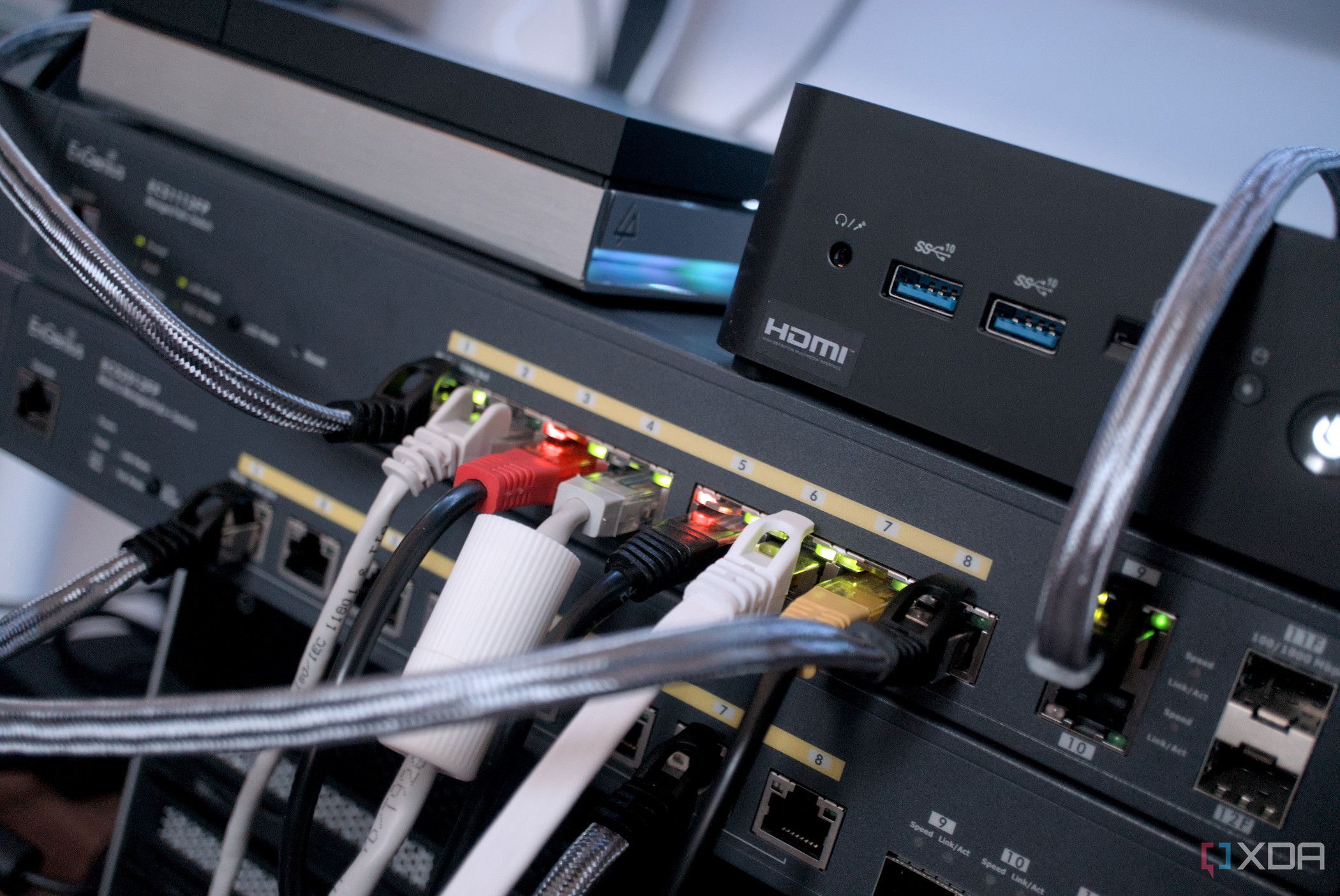
UPDATE: Many users upgrading to 2.5GbE networks are reporting disappointing speeds, feeling no difference or even a slowdown compared to 1GbE connections. This issue is not an isolated incident; it’s affecting users globally as they transition to new hardware. If you’ve recently invested in a motherboard, router, switch, or USB adapter with a 2.5GbE port, you might be left scratching your head as to why you’re not seeing the expected performance surge.
The problem lies in the overall network setup, which must be fully equipped to handle the increased speeds. A faster LAN port alone won’t yield results if other components are bottlenecking the connection. With this in mind, let’s explore the four primary reasons your 2.5GbE network may feel slower than your previous 1GbE setup.
1. Network Bottlenecks from 1GbE Devices
A significant reason for the lack of noticeable improvement is the presence of 1GbE devices in your network chain. Even if you have a 2.5GbE-capable motherboard or router, any device limited to 1GbE will cap your entire connection. For example, connecting a PC with a 2.5GbE port to a Gigabit switch ensures that the speed remains at 1GbE, regardless of the router’s capabilities. This means that if you’re transferring files to a NAS or another PC that only supports 1GbE, you’re locked into those slower speeds.
2. Storage Limitations
Even if you resolve network bottlenecks, your storage could still be the culprit behind your slow speeds. Most mechanical hard drives max out at around 200MB/s, which is far below the 2.5GbE theoretical limit of 312.5MB/s. If your NAS relies on mechanical drives, you won’t fully utilize your 2.5GbE upgrade. Upgrading to SATA SSDs can significantly improve transfer speeds, often achieving 500-550MB/s, allowing you to take full advantage of your faster network.
3. Inadequate Ethernet Cables
Another overlooked factor is the quality of your Ethernet cables. While Cat5e cables technically support 2.5GbE, not all cables are created equally. Cheaper cables may lack the necessary shielding and quality copper, leading to inefficiencies when pushing higher speeds. Users might not realize this issue as their internet appears to function normally, but behind the scenes, negotiations could be falling back to 1GbE or experiencing packet loss. To resolve this, consider upgrading to reliable Cat6 cables, which are available for under $10.
4. ISP Speed Limitations
Perhaps the most surprising factor is that many users expect their faster LAN connections to translate into improved internet speeds. However, the actual speed delivered by your ISP is the ultimate limit. Even with a state-of-the-art 2.5GbE setup, if your internet plan maxes out at 300Mbps or 500Mbps, that’s all you’ll experience. In many cases, even users on a Gigabit plan may not see speeds exceeding half of their connection’s capability due to real-world factors like network congestion and server limitations.
In summary, achieving faster speeds with a 2.5GbE network requires more than just upgrading a single component. Every part of your network—including devices, storage, cables, and internet connections—must be optimized to handle the increased bandwidth. If any of these elements lag behind, your 2.5GbE port may only serve as a spec on paper rather than delivering real-world performance.
Stay tuned for further updates as tech experts continue to investigate and address these widespread issues. If you’ve recently upgraded to 2.5GbE and are encountering similar problems, share your experiences and solutions with us to help others optimize their networks!

Englewood Church Members Reunite After Thanksgiving Fire

Mayor Names Alan Wong as District 4 Supervisor Amid Controversy

Study Reveals Nitrous Oxide’s Potential in Treating Depression

Walmart Launches Massive Cyber Monday Sales Starting at $5

Rep. Don Bacon Criticizes White House for Lack of Clarity on Ukraine

UK Report Reveals Rise of AI in University Research Evaluation

Florida Hires Jon Sumrall as Head Coach: Implications for FSU Football

Trump Promises to Release MRI Results from October Scan

South Korea Implements Urgent FX Oversight Amid Market Instability

University of Hawaiʻi Joins $25.6M AI Project to Monitor Disasters

Foreign Inflows into Japan Stocks Surge to ¥1.34 Trillion

BOYNEXTDOOR’s Jaehyun Faces Backlash Amid BTS-TWICE Controversy

Carson Wentz Out for Season After Shoulder Surgery: Urgent Update

Marc Buoniconti’s Legacy: 40 Years Later, Lives Transformed

Innovative Surgery Restores Confidence for Breast Cancer Patients

Steve Kerr Supports Jonathan Kuminga After Ejection in Preseason Game

Kelsea Ballerini Launches ‘Burn the Baggage’ Candle with Ranger Station

Chicago’s Viral ‘Rat Hole’ Likely Created by Squirrel, Study Reveals
-
Science4 weeks ago
University of Hawaiʻi Joins $25.6M AI Project to Monitor Disasters
-
Business1 month ago
Foreign Inflows into Japan Stocks Surge to ¥1.34 Trillion
-
 Top Stories1 month ago
BOYNEXTDOOR’s Jaehyun Faces Backlash Amid BTS-TWICE Controversy
-
 Top Stories1 month ago
Carson Wentz Out for Season After Shoulder Surgery: Urgent Update
-
 Top Stories1 month ago
Marc Buoniconti’s Legacy: 40 Years Later, Lives Transformed
-
 Health1 month ago
Innovative Surgery Restores Confidence for Breast Cancer Patients
-
 Sports2 months ago
Steve Kerr Supports Jonathan Kuminga After Ejection in Preseason Game
-
 Lifestyle2 months ago
Kelsea Ballerini Launches ‘Burn the Baggage’ Candle with Ranger Station
-
 Science2 months ago
Chicago’s Viral ‘Rat Hole’ Likely Created by Squirrel, Study Reveals
-

 Lifestyle2 months ago
Dua Lipa Celebrates Passing GCSE Spanish During World Tour
-

 Entertainment2 months ago
Zoe Saldana Advocates for James Cameron’s Avatar Documentary
-

 Politics2 months ago
Dallin H. Oaks Assumes Leadership of Latter-day Saints Church